April 29, 2024

Self Publish Your Book on Amazon in 9 Simple Steps

Self publishing your book on Amazon is a simple and intuitive process. However, the challenge is preparation. If you are not prepared, the process can be taxing for first-timers.

img
Self Publish Your Book on Amazon in 9 Simple Steps

Ever dreamed of holding your published book or seeing it soar up the Kindle charts? Now, you can turn your writing dreams into reality by learning how to self publish your book on Amazon through Kindle Direct Publishing (KDP) and reach millions of readers worldwide.

A recent Wall Street Journal highlighted Amazon’s dominance in the online book market. However, it not only allows you to publish eBooks directly to the massive Kindle reader audience but also helps you reach readers beyond the digital realm. Their print-on-demand service lets you create printed versions without any upfront investment—Amazon handles the printing, selling, and shipping. No wonder KDP has become a top choice for authors looking to bypass traditional publishing houses.

If you are a writer who dreams of becoming a published author, here is an easy guide to self publish your book on Amazon.

1. Know what you require before self publish your book on Amazon

Self publish your book on Amazon is a simple and intuitive process. However, the challenge is preparation. If you are not prepared, the process can be taxing for first-timers.

Here’s a checklist of what you’ll need to have in place before starting the Amazon self-publishing process:

  • A professionally designed book cover: Your book cover serves as a first impression for potential readers. Consider investing in professional design services to create a cover that is eye-catching and reflects the tone of your book.
  • Your final manuscript: Ensure your manuscript is thoroughly edited and proofread before publishing.
  • A book description: Write a concise and informative description that accurately portrays your book and attracts readers to learn more.
  • Book metadata: This includes essential information about your book such as title, subtitle, page count, and any other relevant details.
  • A list of 7 relevant keywords: Research keywords that potential readers might use to find your book on Amazon.
  • Amazon book categories: Choosing the right categories helps readers discover your book while browsing.
  • Your bank account information: This is necessary for receiving royalty payments on your book sales.
  • Your personal information: Your legal name, tax address, and social security number, which is required for tax purposes.

Having this information readily available will streamline the self-publishing process on Amazon’s Kindle Direct Publishing platform (KDP). It’s important to note that KDP offers flexibility, allowing you to edit your book details even after publication.

2. Set up a KDP account

Head to kdp.amazon.com and sign in. You can use your existing Amazon account or create a new one with a different email address.
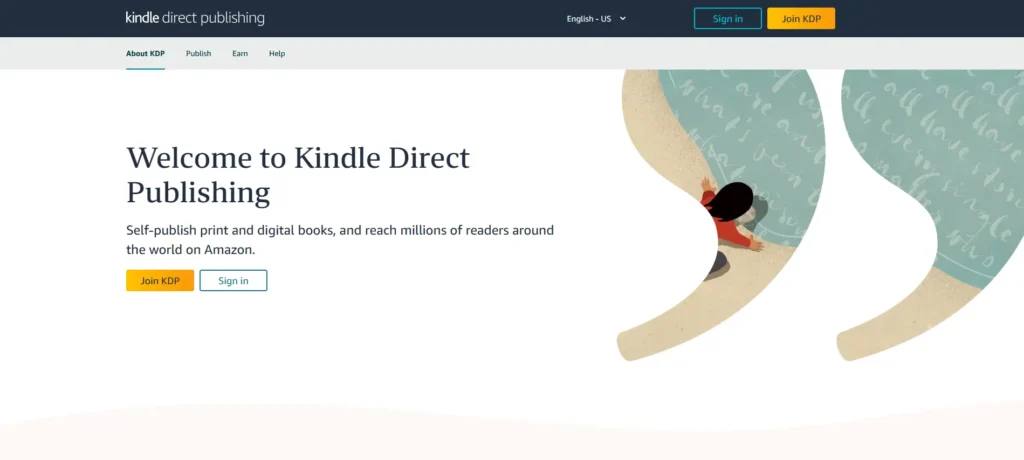
Image of a website header of Kindle Direct Publishing

Complete your KDP account setup.  This isn’t mandatory right away, but it’s necessary to publish your book. The process should be straightforward on the “My Account” page. Just fill in each section and click “Save” at the bottom. Don’t worry. You can always edit this information later.

Don’t get overwhelmed by the Tax information section. It is a straightforward process. You’ll only need to provide your name, address, and social security number (or equivalent tax ID for your country). Save and continue.

3. Create your title

Once your account is set up and you are signed in, go to KDP Bookshelf. This is where you’ll manage all your published eBooks. Select the type of book you want to publish (Kindle, paperback, hardcover). Upon logging in, you should see a section for creating a new title. Here is the guide to add your title.

  • When choosing a title and subtitle, adopt a sales-focused approach. Remember, these elements are key to attracting readers. Every detail should be tailored to your ideal audience.
  • Keep your title and subtitle within the 200-character limit. Use a character count tool to ensure you stay within bounds.
  • Visual appeal matters, so consider how your title will appear on the book cover. Will it be clear and enticing?
  • It’s crucial to respect the rules. Avoid misleading claims like ‘bestseller’ or anything that violates copyright or trademarks. This will protect you from legal issues and maintain the integrity of your eBook.
  • Your title should clearly communicate why someone should choose your book over others. For inspiration, consider using a nonfiction book title generator.
  • Take care of the Metadata. The page focuses on metadata like title, subtitle, series (if applicable), author, etc. However, the most crucial elements are the title and subtitle.

Additional Tip: While subtitles are optional, they are highly recommended. They can significantly boost sales by providing crucial information and enticing readers to learn more.

4. Write book description for Amazon

The description is your elevator pitch! These potential buyers are interested, so seal the deal with a good description.

  • Tailor your description to your genre. For fiction, capture the story’s essence without spoilers. For nonfiction, highlight how your book solves a reader’s problem.
  • Analyze descriptions of similar bestsellers. Can you adopt a similar tone to connect with your audience?
  • Follow Amazon’s Guidelines. Avoid time-sensitive info or keyword stuffing, which are against Amazon’s rules.
  • Check out descriptions by successful authors in your genre. See how they structure their blurbs and consider using similar techniques.
  • While you write in a word processor, Amazon uses HTML for descriptions. Utilize a description generator to convert your text into compatible HTML code for easy pasting into KDP.

5. Create keywords

To successfully self publish your book on Amazon, understanding how to optimize your keywords and categories is key to reaching your target audience, increasing visibility, and driving sales. These work together to help your target audience discover your work.

Amazon allows you to select up to seven keywords, essentially acting as tags that tell their search engine what your book is about. Effective keywords will be the phrases your ideal reader uses when searching for books on Amazon.

Choosing the right keywords is both an art and a science. You need to consider the mindset and needs of your intended reader while striking a balance between being too broad (where your book gets lost in a sea of similar titles) and too niche (where your audience might be too small to find you).

By carefully selecting keywords that resonate with your target audience, you increase the chances of your book appearing in relevant search results, ultimately leading to more readers.

Here are some tips that will help you set your keywords.
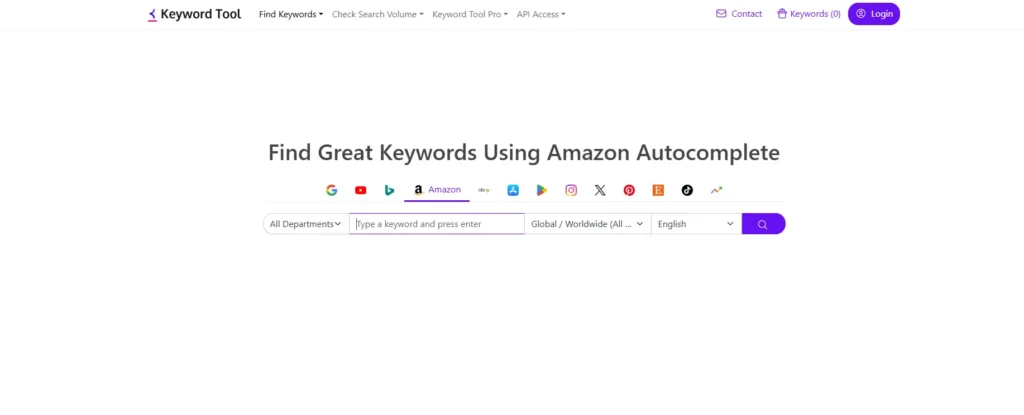
Website header image of Keywordtool.io to help people understand how to choose right keywords
  • Consider exploring tools designed to help you identify the most relevant keywords for your book’s genre and target audience.
  • Search Like Your Reader. Open an incognito or private browsing window and search Amazon using terms you think your ideal reader might use. This allows you to see books already ranking for those keywords and gauge their success.
  • Amazon strictly prohibits misleading keywords, as they create a negative experience for readers. Ensure your chosen keywords accurately reflect your book’s content.
  • While single words are an option, Amazon suggests focusing on 2 to 3-word phrases for better results. Each keyword (including spaces) can be up to 50 characters long.
  • Keyword trends can shift over time, so plan to periodically review and update your KDP keywords to stay relevant and optimize discoverability.

6. Select the categories for your book.

Choosing the right categories is vital for success on KDP. While you can only select two initially when creating your title, it’s worth investing time in research to ensure optimal placement. Categories act as a filing system for your book, influencing bestseller rankings and ultimately helping readers discover it.

KDP offers a vast selection, with over 16,000 categories to choose from. Here’s how what you should know to choose them effectively:

  • Consider a strategic mix of popular and niche categories. Popular categories offer wider exposure, while niche categories might present a clearer path to becoming a bestseller.
  • Browse Amazon for books similar to yours. Scroll down on their product pages to see which categories they’re listed under. This can provide valuable insights for your own categorization.
  • Analyze the number of new releases within a category to gauge its current popularity. Additionally, research the performance of existing books in your chosen categories to assess their sales potential.

7. Set your publishing date

Selecting a release date is an important step in the KDP process. If you choose a date within 90 days, readers can pre-order your book, generating early buzz and potential sales. If you are about the ideal date, consider these factors:

  • Ensure everything is finalized (editing, formatting, cover design) before launch to avoid delays.
  • Launching a book can be complex. Build in extra time to handle unexpected hurdles or last-minute adjustments.
  • Is your book’s content seasonally relevant? Consider aligning your launch with holidays or relevant events.
  • Have a marketing strategy? Schedule your release after securing all promotional services to maximize initial momentum.
  • As a first-time publisher, prioritize a comfortable timeframe. The launch process can be more time-consuming than anticipated.

By carefully considering these elements, you can choose a strategic release date that sets your book up for success.

8. Upload your manuscript and cover

This step requires your manuscript and covers in specific formats according to the publishing type (paperback, hardcover, and Kindle)

Manuscript Upload:

Click “Upload eBook Manuscript” to initiate the upload process. KDP will analyze your file, ensuring it meets formatting requirements and is free of major errors. Allow 5-10 minutes for this process.

Cover Art Upload:

KDP offers a Cover Creator tool, but consider using a professional design instead. Your cover is crucial for grabbing readers’ attention. Key Considerations:

Your key considerations should be:

  • Your cover needs to look visually compelling as both a thumbnail and a full-size image.
  • The cover should instantly convey your book’s genre or overall tone.
  • While creating your own cover is an option, investing in a professional designer can significantly enhance your book’s presentation.
  • There is a preview option in all publishing categories: paperback, hardcover, and Kindle.

9. Set your prices

The final stage of how to self publish your book on amazon is to choose your book’s price and royalty rate.

Decide whether to opt-in or -out of KDP Select, Matchbook, and Book Lending programs.

KDP offers two royalty plans. 35% Royalty applies to books priced below $2.99 or above $9.99. 70% Royalty applies to books priced between $2.99 and $9.99 (considered the sweet spot for maximizing royalties).

Enter your preferred price, and KDP will automatically display your royalty per sale and potential earnings in various currencies and marketplaces.

Consider these factors while setting your prices.

  • Research the pricing of similar books in your genre. Are there opportunities to position your book competitively through strategic pricing?
  • Consider offering a lower price initially to generate reader interest and build a fanbase for your work.
  • If your book offers exceptional quality or unique value, a higher price point can reflect its worth to potential buyers.
  • Established authors often have the flexibility to set higher prices due to their existing audience and reputation.
  • For series books, a lower price for the first installment can entice readers to start the journey, with the option of gradually increasing the price for subsequent volumes.

By thoughtfully evaluating these factors, you can establish a pricing strategy that balances market competitiveness with the perceived value of your book.

Another shortcut is to find e-book publishing services that also provide book marketing solutions get your book published on Amazon with complete creative control, and see your author name flourish on Amazon.